Advanced Charts
Open charts directly on GainzAlgo across supported stocks, crypto, forex, indices, and futures. Switch trading pairs and timeframes from 1min to 12 months.
Black Friday: 25% OFF
From TradingView indicators to our own trading platform
GainzAlgo now has its own trading platform. Access your charts, indicators, signals, and trading tools directly on GainzAlgo without relying on TradingView. Everything you need is now available in one place.
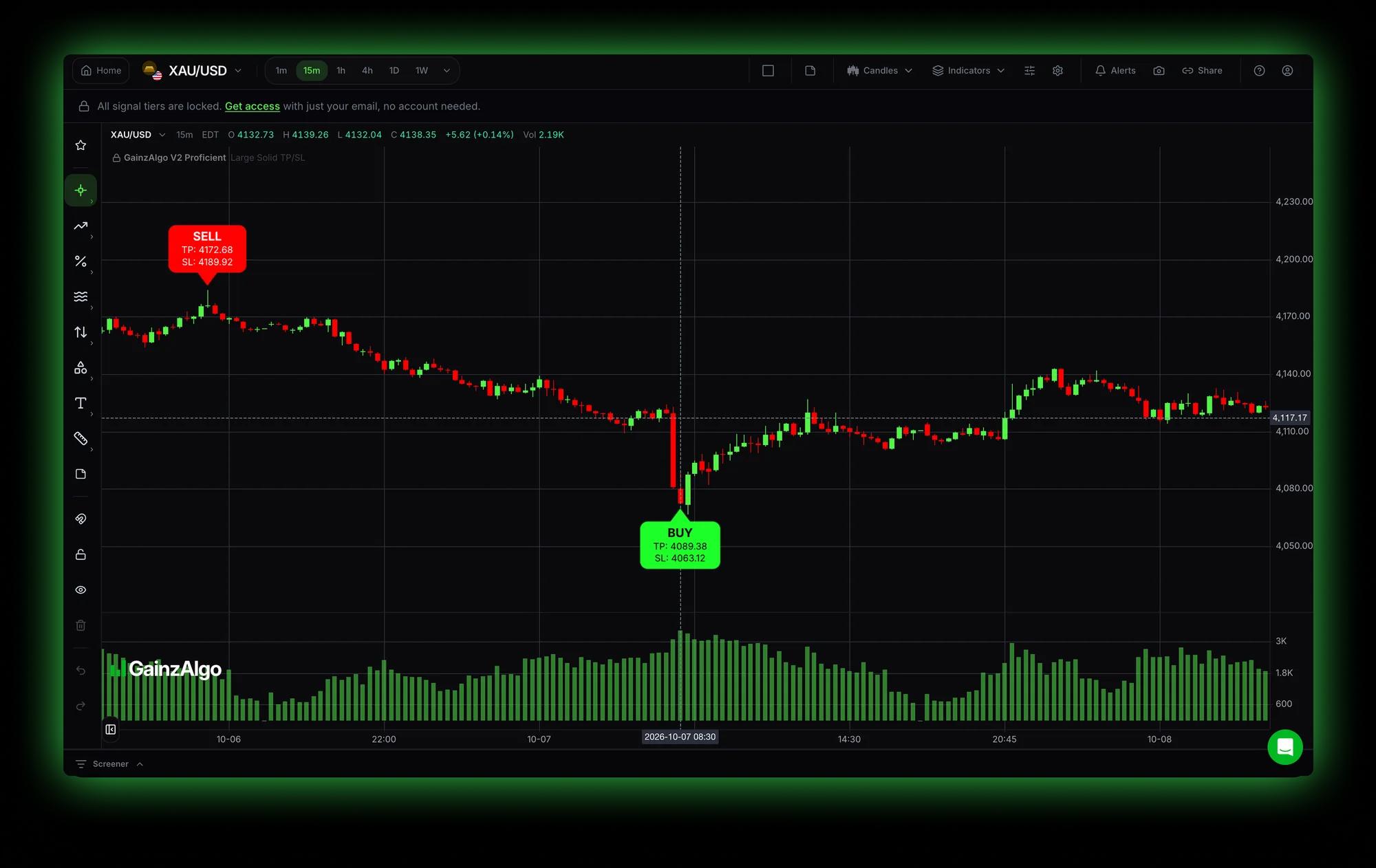
Live GainzAlgo charts: your market, your timeframe, your signals.
Open ChartsAlready a GainzAlgo customer?
Your purchased indicators are now available directly on GainzAlgo Charts. Just sign in with your existing account, no setup required.
Access Your IndicatorsWhat changed
Before
GainzAlgo indicators were accessed through TradingView. You needed a TradingView account and had to switch between TradingView and GainzAlgo to use them.
Now
GainzAlgo brings its charting experience, indicators, signals, and trading tools directly to gainzalgo.com. Open a chart and everything is there with no switching back and forth. This is a genuine product evolution, not a temporary alternative.
The platform
What is actually available on GainzAlgo today. Indicator and signal visibility follows the purchases on your account.
Open charts directly on GainzAlgo across supported stocks, crypto, forex, indices, and futures. Switch trading pairs and timeframes from 1min to 12 months.
Use the GainzAlgo indicators your account owns (Standard, Pro, and V2 Essential, Proficient, and Alpha) right on the native charts.
See available buy and sell signals marked directly on supported charts, with signal history on dedicated signal pages.
V2 tiers publish take-profit and stop-loss levels alongside signals, so your targets and invalidation are on the chart with the entry.
Draw, replay price action, keep notes, build watchlists with the screener, and run the guided tour, all inside the chart.
One website, one account: charts, indicators, purchases, and alerts managed from gainzalgo.com.
Availability follows your account: indicator visibility unlocks from the purchases tied to the email you sign in with. Browse the tutorials to see each tool in action.
Three steps
Use the same GainzAlgo account associated with your existing purchase. You do not need to purchase your indicators again.
Step 1
Go to gainzalgo.com and open the Charts section.
Open ChartsStep 2
Sign in with the account tied to your GainzAlgo purchase to unlock the indicators you own. Check your purchases any time.
Sign inStep 3
Open your preferred market, pick your trading pair and timeframe, and use the indicators and tools available to your account.
Learn the chartsExisting customers
No. The native GainzAlgo platform lets you access supported GainzAlgo indicators and trading functionality directly on gainzalgo.com: charts, signals, and tools in one place.
No. Sign in with the same GainzAlgo account associated with your existing purchase and your entitlements carry over. Your purchases page shows what your account owns, and the charts unlock the indicators tied to that account.
Open GainzAlgo Charts and pick your market and instrument. The indicator menu reflects the tiers your signed-in account owns.
Yes. Charts cover supported stocks, crypto, forex, indices, and futures, with timeframes from 1min to 12 months (including 5m, 15m, 1h, 4h, daily, and weekly).
On the official GainzAlgo Charts page at gainzalgo.com/charts. Sign in, open your market, and everything available to your account is there.
No. TradingView is no longer required for the supported native GainzAlgo platform features.
Everything you need to explore the GainzAlgo platform is now available directly on our website. Sign in, open your charts, and experience the new way to use GainzAlgo.